
How to Fix CACFP Audit Compliance Mistakes: A Guide for Leaders
“If you can’t measure it, you can’t manage it.” — Peter Drucker
In your childcare center, this simply means that keeping clear records helps your program run better. When your files are neat, you will spend less time stressing about paperwork and more time with the kids.
When we talk to directors, the most common thing we discuss is how to make the food program run smoothly without breaking the budget.
Here’s the secret shared by the data security teams at iCare: Staying compliant is not about working harder. In fact, it is about setting up the right systems. When your center has a clear routine for tracking daily data, you protect your budget and keep your doors open for the families who rely on you.
In this guide, we will discuss how to fix common CACFP audit compliance mistakes so your center stays on the right track. We will show you how to use a simple checklist and explain how digital tools can do the hard math for you to make sure you are always ready for a review.
Let’s get started.
Key Takeaways
- Track meals at the table: Teachers must log meals the exact moment kids sit down to eat so your food counts match your daily attendance perfectly.
- Follow strict menu rules: You must serve the correct food portion sizes and approved milk types for each age group so the state pays for every meal.
- Keep grocery receipts separate: Ring up your program food on a different receipt than your general center supplies so you can easily prove how you spent federal funds.
- Use a CACFP audit checklist: Check your parent income forms and daily records every month to catch simple math errors before a state reviewer does.
- Switch to childcare management software: Digital tools do the daily math for you and keep your records safe in the cloud for a stress-free review.
The Real Impact of Program Compliance
Running a childcare center means juggling food costs, payroll, and facility bills every month. Federal funding through the USDA Food and Nutrition Service exists to take some of that weight off your shoulders by covering the cost of healthy meals for the children you serve.
When simple paperwork errors happen during a review, state agencies can demand to get their funds back. Losing that money directly affects your bottom line. In communities where finding quality care is already tough, often called America’s licensed child care deserts, keeping your center on solid financial ground helps you stay open to local families.
Protecting your food program revenue requires a clear, step-by-step system for managing the daily records.
Track Meals at the Table and Follow Strict Menu Rules
Serving food is only half the battle. To get paid for the meals you serve, your staff must follow strict nutrition rules and record every meal at the exact moment it happens.
Counting Meals in Real Time
- Point-of-service counting: Teachers must log meal counts while children are sitting at the table eating. Guessing numbers at the end of the day leads to errors.
- Match attendance to meals: You cannot claim lunch for a child who was marked absent for the day. Reviewers compare your daily attendance sheets to your food logs line by line.
- Avoid block claims: If your meal counts look identical every day of the month, state monitors will flag your record. Real attendance shifts daily, and your meal counts must reflect those changes.
- Simplify tracking: Linking your claims and attendance meals records in one system stops teachers from claiming absent children.
Meet Meal Component Standards
- Serve all the required parts: Breakfast, lunch, and snacks have strict food group requirements. If lunch lacks a vegetable or protein, the reviewer will reject the entire meal claim.
- Watch for age-based portion sizes: Toddlers and school-age children require different serving sizes. Therefore, training your kitchen staff to pour and scoop the exact amounts required by federal rules.
- Serve the right milk: One-year-olds need unflavored whole milk. Children aged two and older need low-fat or nonfat milk.
According to data from the State of CACFP report, meal pattern errors remain the top reason centers face financial reviews. Improving your daily kitchen processes protects CACFP compliance, and keeps your program running smoothly.
Common Meal Errors and Simple Fixes
| The Meal Error | Why It Triggers an Action | How to Fix It |
|---|---|---|
| Missing a meal part | State rejects the whole meal | Post a complete daily menu in the kitchen |
| Serving wrong milk type | Violates age nutrition rules | Label milk jugs in the fridge by age group |
| Claiming absent kids | Triggers an overclaiming finding | Require real-time meal counts at the table |
| Serving white bread only | Fails whole grain requirement | Buy whole grain-rich bread for daily meals |
Keep Grocery Receipts Separate and Fix Administrative Records
State reviewers require proof of every dollar you claim. Missing paper receipts or incomplete files will trigger penalties during a CACFP audit.
Organize Food Purchases
- Ring up food separately: Never mix personal items, paper towels, or cleaning spray on the same receipt as program food. Ask the store clerk to run food program items on a dedicated ticket.
- Keep readable copies: Thermal paper receipts fade over time. Take clear photos of your receipts as soon as you leave the store and save them digitally.
- Match milk gallons to claims: Auditors calculate how much milk you should have used based on your meal counts. If your grocery receipts show you bought less milk than you claimed, you will have to reimburse the money.
Update Parent Forms and Health Files
- Audit income forms yearly: Income Eligibility Forms (IEFs) determine your pay rates. Check that every form has a valid parent signature, date, and correct income math.
- Document special diets: If a child needs soy milk or a gluten-free meal, keep a doctor’s note signed and on file.
- Maintaining health policies: Keeping your center safe builds confidence among inspectors and parents alike.
- Store clear policies: Having strong rules in place keeps your team organized.
Use a CACFP Audit Checklist to Stay Ahead
You should never wait for a state monitor to visit before checking your files or records. Running internal checks every month helps you catch simple paperwork errors early.
Using a clear CACFP audit checklist gives your administration team a reliable routine to follow.
How to Conduct an Internal Audit
- Pull ten random child files: Check that enrollment forms and income forms are signed, dated, and current.
- Compare three days of records: Match morning attendance sheets directly against morning snack counts.
- Review food bills: Ensure every food receipt clearly shows the store name, date, item descriptions, and totals.
- Check staff training logs: Confirm every teacher completed their annual food program training and signed the attendance sheet.
Your Monthly CACFP Audit Checklist
| Area to Review | What to Check | Goal |
|---|---|---|
| Child Files | Enrollment forms & IEF signatures | Ensure all forms are signed and unexpired |
| Daily Counts | Attendance vs. meal logs | Verify no absent children were claimed |
| Kitchen Records | Food receipts & milk purchase totals | Match bought items to serve meals |
| Menus | Whole grain-rich tags & milk types | Confirm all meal parts meet USDA rules |
| Staff Logs | Annual training sign-in sheets | Prove all teachers received required training |
Switch to Childcare Management Software like iCare
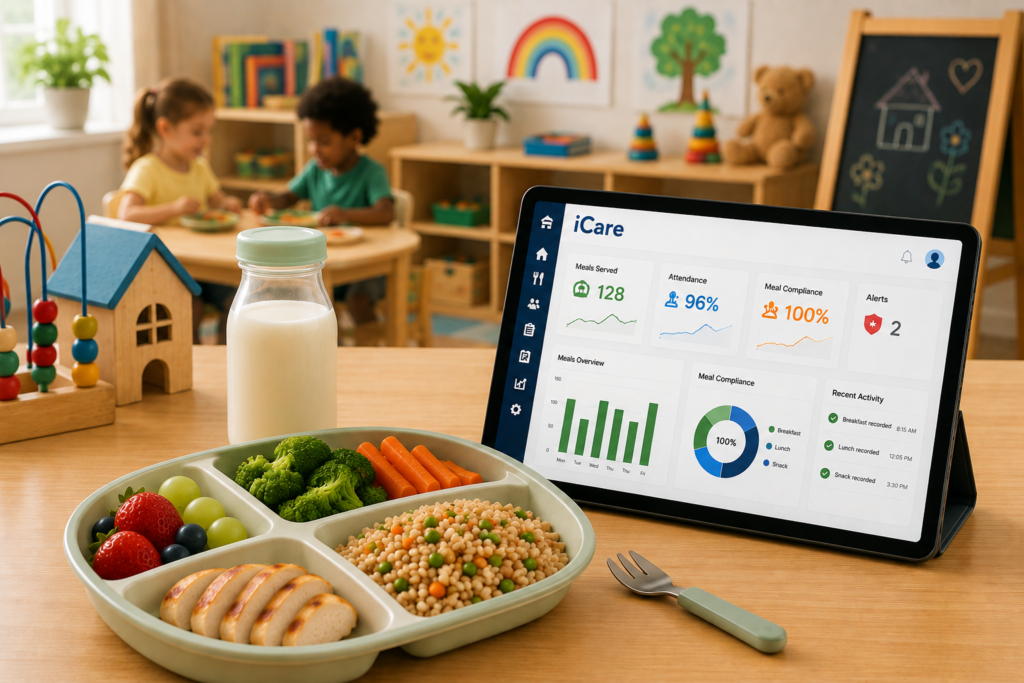
Tracking meals and paperwork manually takes time away from running your center. Modern childcare management platforms like iCare automate these daily operational tasks so your leadership team can focus on program quality.
Additionally, with specialized CACFP childcare management software, compliance rules run quietly in the background to protect your funding.
Why Centers Choose iCare for Compliance
- Real-time attendance syncing: Teachers tap a child’s photo to log meals at the table. iCare checks those counts against daily check-in records to stop claiming errors before they happen.
- One-click claim reports: Instead of spending hours adding up paper forms on a calculator, iCare generates your monthly state reimbursement reports with a single click.
- Digital document vault: Store photos of food receipts, parent income forms, and daily menus securely in the cloud so you can share them with reviewers instantly.
- Built-in rule validation: Our CACFP software checks meal components and age-based portion rules before you submit your claims to the state.
Paper Tracking vs. iCare Tracking
| Task | Manual Paper Tracking | iCare Software |
|---|---|---|
| Taking Meal Counts | Teachers mark paper clipboards by hand | Teachers tap a child’s photo on a tablet at the table |
| Cross-Checking Data | Director compares attendance lists line by line | iCare blocks meal claims for absent children automatically |
| Monthly Claims | Director calculates totals on a spreadsheet | iCare generates complete state claim reports in seconds |
| Audit Preparation | Searching through physical filing cabinets | Handing the reviewer clean, organized digital files |
Pro Tip: Using an all-in-one childcare or daycare management software keeps your center organized year-round. Discover how iCare keeps your center prepped for CACFP audits.
Conclusion: Take Control of Your Program Compliance
The key to staying audit-ready for center leaders is to put reliable systems in place. When your center has clear workflows for tracking meals, organizing food bills, and reviewing parent forms, program compliance becomes predictable.
You do not have to carry the weight of manual record-keeping by yourself. Give your team the tools they need to keep files accurate, protect your monthly funding, and save valuable administrative hours.
Your childcare records can always be organized for state reviewers with iCare’s end-to-end childcare management software.
Ready to make food program management simple and stress-free? Schedule a demo with iCare Software today to see how easy audit preparation can be.