
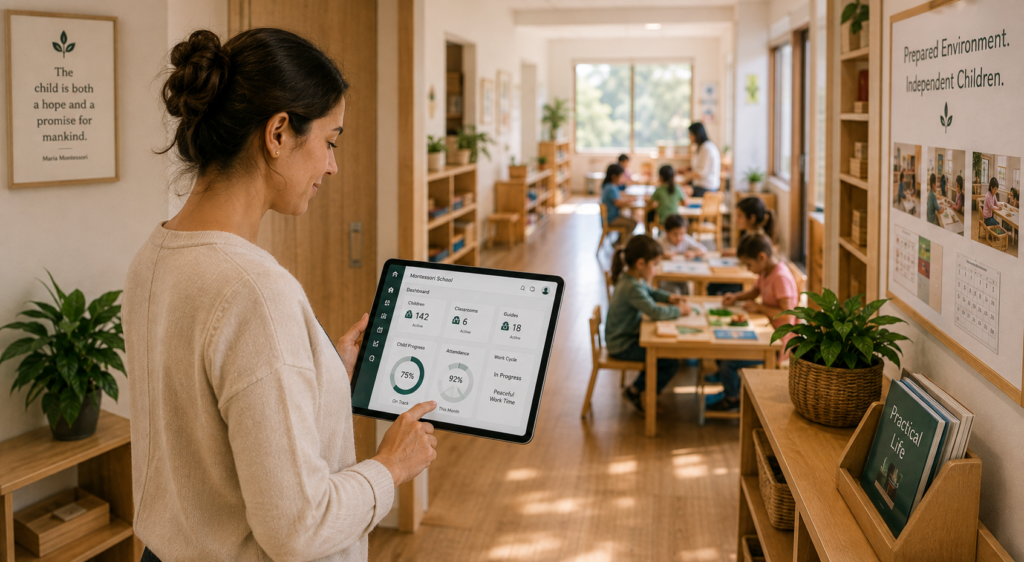
Montessori education is built around careful observation, individualized learning, thoughtfully prepared environments, and respect for each child’s pace. But a Montessori school is also an organization that has to manage enrollment, tuition, attendance, schedules, family communication, staffing, and reporting every day.
The challenge is not that every part of a Montessori school needs specialized software. It is that generic childcare or school-management systems can make educators separate their Montessori documentation from the administrative system they use to run the school.
That is where the right Montessori school management software can make a difference. It should support the way your guides document learning while also simplifying the operational work that keeps the school running.
If your team is maintaining paper notes, spreadsheets, separate observation tools, or rigid planning templates alongside your administrative software, these six signs can help you decide whether your current system is still the right fit.
Key Takeaways
- Montessori software should support individualized observation and documentation without forcing the school into conventional academic workflows.
- iCare includes a Montessori Method learning framework with Montessori-specific activities that guides can select for individual observations.
- Guides can record a progress status, add notes, attach a photo or PDF, and keep the observation tied to the child, date, time, and staff member.
- The Journal Report makes recorded observations easier for administrators to retrieve and review.
- iCare’s lesson-planning template can be modified so schools can enter their own plans; it should not be presented as automatic state-standards or Montessori-accreditation alignment.
- The strongest iCare story for Montessori is the combination of Montessori-specific documentation with enrollment, attendance, billing, scheduling, communication, and reporting.
Sign 1: Your Software Makes Montessori Administration Feel More Rigid Than Your Classroom
Montessori early-childhood programs are not organized around the same assumptions as a conventional school. Mixed-age classroom communities, individualized learning, and continuity over multiple years shape how directors think about children, classrooms, and program planning.
Your administrative software does not need to teach the Montessori Method. But it should give your team enough flexibility to manage enrollment, attendance, schedules, family records, and classroom organization without forcing educators to translate their program into terminology or workflows that do not fit how the school actually operates.
A useful first test is simple: when your staff explains how your Montessori program is structured, does the system adapt to your workflow, or does your team spend time adapting its language and processes to the software?
What to look for
- Flexible program and classroom setup that can reflect how your school is organized.
- Enrollment, attendance, and scheduling tools that work without dictating the educational model.
- Configurable fields and templates where your school needs its own terminology or process.
- One administrative record for the child and family instead of repeated data entry across disconnected tools.
Sign 2: Your Guides Cannot Document Montessori Activities in the Same System
Observation is central to Montessori practice. Guides watch how individual children engage with the environment, record what they see, and use that information to support future learning experiences.
This is where generic systems often become frustrating. A general note field may store a comment, but it does not necessarily give the guide a Montessori-specific structure for recording the activity being observed.
iCare includes a Montessori Method learning framework with Montessori-specific categories and activities. In the current observation workflow, a guide can select an individual child, choose a Montessori milestone or activity, record a progress status, add notes, and attach a photo or PDF.
Example from the verified iCare workflow
- Learning Framework: Montessori Method
- Category: Grace and Courtesy
- Activity: Greeting
- Child: Individual child record
- Progress status: Developing
- Additional context: Notes and optional photo/PDF attachment
- Record details: Date, time, site, and staff member
Traditional vs. Montessori Progress Tracking
| Traditional School Model | True Montessori Model | What Your Software Needs to Do |
|---|---|---|
| Hands out letter or numeric grades | Tracks mastery of specific classroom materials | Needs custom observation fields instead of standard grading rubrics |
| Uses fixed quarterly reporting periods | Relies on continuous daily teacher observations | Needs real time data entry instead of batch report card printing |
| Measures against standard test scores | Follows individual developmental milestones | Needs personal student tracking instead of classroom averages |
| Gives parents a simple report card | Builds a detailed portfolio and narrative summary | Needs export formats that parents can actually understand and read |
Sign 3: Your Lesson-Planning Tool Forces One Fixed Structure
Montessori programs may organize planning differently from one school to another. A private Montessori preschool may be working primarily within its Montessori approach and applicable childcare requirements, while a public or school-based Montessori program may also need to address state academic requirements.
That means the safest software approach is flexibility rather than pretending that one fixed lesson-plan format fits every Montessori organization.
iCare provides a lesson-planning template that can be modified so a school can enter and organize its own lesson plans. This supports the school’s planning process without claiming that the software automatically aligns every plan to state standards, AMS/AMI requirements, or a specific Montessori curriculum sequence.
A better question to ask a vendor
Sign 4: Observations Are Recorded, but Difficult to Find Again
Capturing an observation is only useful if the school can retrieve it later. Paper notes, individual spreadsheets, and disconnected classroom apps can make important documentation hard for directors to review consistently.
iCare’s Journal Report gives administrators a searchable, sortable view of recorded journal activity. The verified report includes the child, date, time, category, recorded progress information, site, and staff member who entered the observation.
For a Montessori program, this creates a practical bridge between classroom documentation and administrative visibility. A director can review records without asking guides to maintain a completely separate paper trail just so the information can be found later.
What it does not mean:
The Journal Report should not be marketed as a comprehensive Montessori child-progress report that automatically summarizes every activity by learning domain. That would be a separate future enhancement.
Sign 5: Classroom Documentation and School Operations Live in Separate Systems
Many Montessori schools do not need software to replace the educational judgment of the guide. They need software that reduces the administrative work surrounding that educational work.
If guides document observations in one place while administrators use another system for enrollment, attendance, tuition, schedules, family communication, and reporting, the school can end up maintaining multiple versions of the same child and family information.
This is where iCare’s positioning is strongest. Montessori-specific observation documentation can sit alongside the same operational tools the school already needs for everyday management.
For some programs, that can mean fewer disconnected tools, fewer manual handoffs, and better visibility between classroom documentation and the administrative side of the school.
The value is the combination
| Montessori documentation | School operations |
|---|---|
| Montessori Method learning framework | Enrollment and family records |
| Montessori activities and milestones | Attendance and check-in/out |
| Individual child observations | Tuition, billing, and payments |
| Recorded progress statuses | Scheduling |
| Notes and photo/PDF attachments | Family communication |
| Journal reporting | Administrative reporting |
| Customizable lesson-planning template | Multi-site operational management, where applicable |
Sign 6: A Vendor Says “We Support Montessori” but Cannot Show You How
The most useful questions are the ones that can be answered inside the product, not with promises about future customization.
Montessori Software Evaluation Checklist
| What to ask | Why it matters | What a strong demo should show |
|---|---|---|
| Does the system include Montessori-specific learning activities? | Guides should not be limited to generic developmental categories. | An actual Montessori framework and activity library. |
| Can a guide record an observation for one child? | Montessori documentation is individualized. | A selectable progress status such as Introduced, Developing, Proficient, or Mastered. |
| Can progress be recorded with the observation? | The record should show more than a free-text note. | “We store certification documents in a folder.” |
| Can staff add context or evidence? | Observations often need supporting detail. | Notes plus photo/PDF attachment options. |
Pro Tip: If a vendor answers questions by describing a manual workaround instead of a built-in feature, we suggest you walk away.
Montessori Learning Documentation Meets Everyday School Management
iCare gives Montessori programs a dedicated Montessori Method learning framework for classroom observations while also supporting the administrative work required to run the school. Guides can document individual Montessori activities, record progress statuses, add notes and supporting files, and keep those observations connected to each child’s record. Directors can review journal records while continuing to manage enrollment, attendance, tuition, schedules, communication, and reporting in the same broader platform.
That is the practical value for private Montessori preschools and early-childhood programs: educational documentation and school operations can work together without positioning the software as a replacement for the Montessori guide’s professional judgment or as a complete curriculum and assessment system.
Your school keeps its philosophy, terminology, and educational decision-making. The software helps organize the information and administrative work around it.
Frequently Asked Questions
What makes Montessori school management different from standard childcare administration?
Montessori programs combine ordinary school-management responsibilities with an individualized educational approach built around observation, mixed-age environments, and Montessori-specific learning activities. The software does not need to replace the Montessori Method, but it should support the school without forcing classroom documentation into a generic workflow.
Does iCare include Montessori-specific learning content?
Yes. The verified iCare observation workflow includes a Montessori Method learning framework with Montessori-specific categories and activities, including areas such as Care of Environment, Care of Person, Food Preparation, Grace and Courtesy, and Visual Sense.
Can Montessori guides record individual child observations in iCare?
Yes. A guide can select an individual child, choose a Montessori milestone or activity, record a progress status, add notes, and attach a photo or PDF. The observation is also associated with details such as date, time, site, and staff member.
Can iCare record progress such as Introduced, Developing, or Mastered?
Yes. The current observation workflow includes selectable progress statuses, including options such as Introduced, Developing, Developed, Proficient, and Mastered, along with other observation states.
Can directors review Montessori observations later?
Yes. iCare’s Journal Report provides a searchable and sortable record that can show the child, date, time, observation category, associated progress information, site, and staff member.
Can Montessori schools customize lesson planning in iCare?
iCare has a lesson-planning template that can be modified so a school can enter and organize its own plans. Schools that need formal state-standards mapping, accreditation alignment, or a specific curriculum sequence should verify those requirements separately rather than assuming automatic alignment.
Does iCare replace a dedicated Montessori curriculum platform?
That depends on the school’s requirements. iCare combines Montessori-specific observation documentation with school administration. A school that needs advanced curriculum sequencing, automatic next-lesson recommendations, or specialized standards mapping should compare those requirements with the product before deciding whether another curriculum tool is still needed.
Which Montessori programs are the strongest fit for iCare?
Private Montessori preschools and early-childhood programs are a strong fit when they want Montessori-specific observation documentation together with enrollment, attendance, tuition, scheduling, family communication, and administrative reporting.
Does Montessori-specific software cost more than standard childcare management software?
Standard software often carries a lower sticker price while costing far more in hidden labor. Staff spend hundreds of hours on manual workarounds and spreadsheet entry every year. Investing in a purpose-built platform eliminates those wasted payroll hours immediately.
What should a Montessori director ask to see in a software demo?
Is Montessori school more expensive to run than traditional preschool?
No. Public Montessori programs actually cost about $13,000 less per child to run than traditional preschools according to recent national research. The unique program design creates these savings without sacrificing materials or teacher training.
Can generic childcare management software be customized for a Montessori school?
Generic childcare management software allows basic custom fields, but those fields act as awkward band-aids. Building endless workarounds inside a standard daycare system slows down your staff. Purpose-built platforms handle multi-year cohorts, material observations, and Montessori tuition billing multi-year plans naturally.
What happens if a Montessori teacher’s credential expires without anyone noticing?
An expired credential triggers instant licensing violations during state inspections. Unnoticed credential lapses also threaten your school’s official accreditation status. Automated AMI/AMS credential tracking flags expiration dates and level mismatches months before they become dangerous.
How is a Montessori classroom different from a regular preschool classroom?
A Montessori classroom mixes three age groups together and lets children select their own work materials. Students follow long uninterrupted focus blocks rather than a strict teacher-led schedule. Traditional preschools group kids by single years and rotate activities on a timer.
What should be included in a Montessori accreditation report?
Accreditation reviews require documented student progress logs and verified teacher credentials matched to age levels. Reviewers also inspect schedule records to ensure classrooms protect work periods. Generating these reports directly from your management software saves your team weeks of stress.
Connect with us about Montessori school management and see what a system built around cohorts, observation progress, and credential tracking actually looks like in practice.